
SOLIDWORKS vs Creo CAD comparison
2026 CAD Comparison Guide
SOLIDWORKSVSCreo

The Complete Comparison Guide

SOLIDWORKS vs Creo guide compares both CAD tools in detail. Learn about capabilities, tools and ease of use etc.

Introduction

Choosing the right CAD software can make or break your product design workflow

Two names that come up again and again in this discussion are SOLIDWORKS and Creo (formerly Pro/ENGINEER). Both are powerful tools used by engineers around the world, but they are not built the same way, and they do not deliver the same experience.

In this solidworks vs creo guide, we will break down every important area where these two platforms differ — from ease of use to pricing to manufacturing integration. If you are trying to decide which software fits your team, this article will walk you through the real differences in plain, simple language, backed by facts wherever possible.

By the end, you will see why so many companies, especially small and mid-sized manufacturers, are choosing SOLIDWORKS over Creo. This detailed solidworks vs creo breakdown will help you make an informed, confident decision.

CAD design workflow
At a glance

SOLIDWORKS vs Creo: Quick Comparison

Before we go deep into each feature, here is a quick snapshot to help you understand the bigger picture.

Factor SOLIDWORKSCreo
Ease of learningBeginner-friendly, shorter learning curveSteeper learning curve
InterfaceModern, intuitive, ribbon-basedFunctional but less intuitive
Assembly handlingVery smooth, even with large assembliesCan slow down with very large assemblies
Sheet metal toolsStrong, widely used in industryCapable but less streamlined
SimulationBuilt-in SOLIDWORKS Simulation, easy to useRequires more setup and add-ons
Manufacturing integrationSeamless with CAM, 3D printing, and CNC toolsGood, but more complex setup
PricingMore transparent and often more affordable for SMBsCan be more expensive with add-on modules
Community & learning resourcesMassive user base, huge tutorial librarySmaller community, fewer free resources
Cloud capabilities3DEXPERIENCE platform, growing cloud supportCreo+ cloud option, still maturing

This table gives you the short version of the solidworks vs creo debate. In this creo vs solidworks comparison, we will now go feature by feature so you understand exactly why SOLIDWORKS comes out ahead in most real-world use cases.

The contenders

Meet the two platforms

To understand the solidworks vs creo debate properly, you first need to know what each tool brings to the table.

SOLIDWORKS 3D CAD Our pick

SOLIDWORKS

Dassault SystèmesSince 1995

SOLIDWORKS is a 3D CAD software developed by Dassault Systèmes. It was first released in 1995 with one goal in mind: make professional-grade 3D design accessible to everyone, not just large enterprises with big budgets and dedicated CAD teams.

Over the years, SOLIDWORKS has grown into one of the most widely used design tools in the world. It is known for its parametric, feature-based modeling approach, which means you build a part step by step using features like extrudes, cuts, fillets, and patterns — and if you need to change something later, the whole model updates automatically.

SOLIDWORKS is used across industries like machine design, product design, sheet metal fabrication, consumer goods, and more. It also comes with a full ecosystem: SOLIDWORKS Simulation for testing, SOLIDWORKS PDM for data management, and SOLIDWORKS CAM for manufacturing — all designed to work together smoothly.

PTC Creo parametric CAD

Creo

PTCSince 1988

Creo is developed by PTC (Parametric Technology Corporation) and has its roots in Pro/ENGINEER, one of the earliest parametric CAD tools, launched in 1988. Creo carries a strong legacy in industries that need heavy-duty, complex surfacing and large-scale assembly work, such as aerospace and automotive.

Creo also uses parametric, feature-based modeling, and it offers modules for simulation, generative design, and additive manufacturing. It has a reputation for being powerful in the hands of experienced users, but that power often comes with added complexity.

While Creo is a capable tool, many users find that it demands more time to learn and more effort to manage on a day-to-day basis compared to SOLIDWORKS. This is one of the first differences people notice in any creo vs solidworks discussion.

Head to head

Feature-by-Feature Comparison

This section highlights the 10 main areas where SOLIDWORKS performs better than Creo. We will go through each one in detail below, so you can see exactly where this solidworks vs creo comparison tips in SOLIDWORKS' favor.

01

User Interface & Ease of Learning

SOLIDWORKS

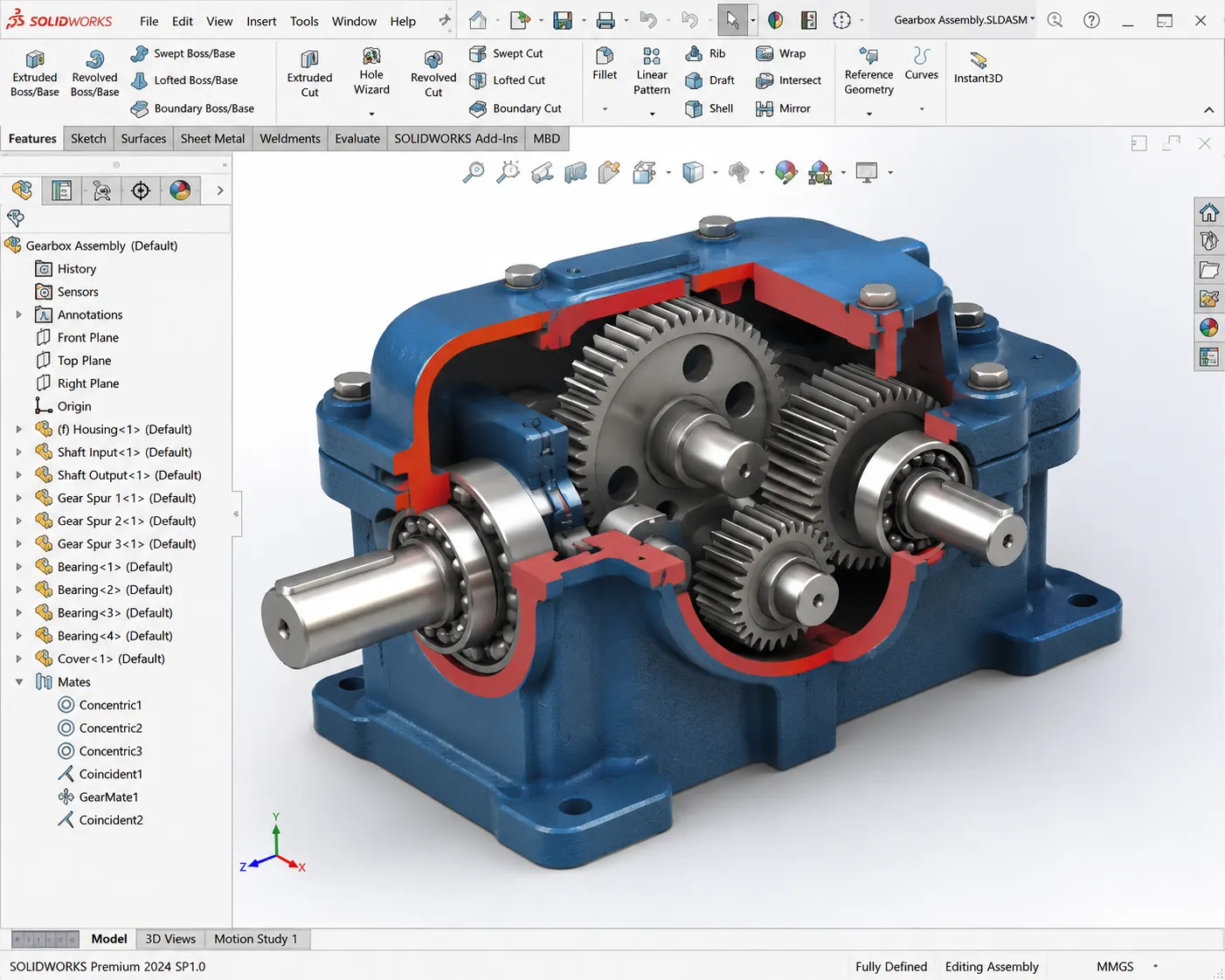
SOLIDWORKS uses a familiar, ribbon-style interface similar to Microsoft Office products, which most people already know how to navigate. Menus are logically grouped, tools are easy to find, and the design tree (FeatureManager) clearly shows the history of how a part was built.

Creo

Creo's interface, while functional, has more nested menus and a layout that takes longer to get comfortable with. New users often report needing significantly more training hours to become productive in Creo compared to SOLIDWORKS.

For companies onboarding new engineers or interns, this difference matters a lot. Less training time means faster productivity and lower onboarding costs — a point that comes up again and again in any solidworks vs creo interface comparison.

02

3D Modeling Capabilities

SOLIDWORKS

Both tools offer solid parametric modeling, but SOLIDWORKS is often praised for how intuitive its feature tree and sketch tools are. Creating complex geometry, using multi-body parts, and editing features after the fact feels more natural in SOLIDWORKS.

Creo

Creo has strong surfacing tools too, but the workflow to get there is less straightforward, and small edits can sometimes cause features downstream to break or “fail” — a problem SOLIDWORKS handles more gracefully with its rebuild error tracking. This modeling gap is a key factor in most creo vs solidworks reviews.

03

Assembly Design Performance

This is one of the biggest differentiators in the entire creo vs solidworks comparison. SOLIDWORKS handles large assemblies using tools like Large Assembly Mode, SpeedPak, and lightweight component loading.

SOLIDWORKS
  • SOLIDWORKS can comfortably manage assemblies with thousands of components while maintaining smooth performance using SpeedPak, which can reduce assembly file size and load time significantly — often cutting load times by more than 50% on large assemblies.
  • Users have reported that lightweight component loading in SOLIDWORKS can speed up assembly open times by up to 70% compared to loading every part at full detail.
Creo
  • Creo assemblies, especially past the 2,000–3,000 component range, often require simplified representations to stay usable, and users commonly report more lag when rotating or editing large models without extra optimization work.
50%+
shorter load times on large assemblies with SpeedPak
70%
faster open times with lightweight loading
2,000–3,000
components before Creo typically needs simplification

For teams working on large machines, product lines, or multi-part systems, this performance gap directly affects daily productivity.

04

Sheet Metal Design

SOLIDWORKS

SOLIDWORKS has one of the most mature sheet metal design toolsets in the CAD industry. Features like flat pattern generation, bend tables, gusset flanges, and forming tools are built in and easy to use, with real-time flat pattern updates.

Creo

Creo's sheet metal module is capable but requires more manual setup for bend allowances and flat pattern accuracy. Many sheet metal fabricators specifically choose SOLIDWORKS because of how fast and accurate its sheet metal workflow is — another clear win in the solidworks vs creo matchup.

05

Simulation & Analysis

SOLIDWORKS

SOLIDWORKS Simulation is built directly into the software and uses an intuitive setup process — apply materials, fixtures, and loads, then run the study. It's approachable enough that design engineers (not just simulation specialists) can run basic stress, thermal, and motion studies.

Creo

Creo Simulate (part of Creo Parametric or via add-on) is powerful but tends to have a steeper learning curve, and many advanced features require separate licensing, which adds cost and complexity. This is a common theme in creo vs solidworks simulation discussions.

06

Manufacturing Integration

SOLIDWORKS

SOLIDWORKS connects smoothly with SOLIDWORKS CAM, third-party CNC tools, and 3D printing workflows. Exporting a model for machining or printing is a straightforward process, and the software supports DFM (Design for Manufacturability) checks natively.

Creo

Creo also supports manufacturing workflows through Creo NC and other modules, but users often report a more complex setup process and additional configuration to get the same seamless experience SOLIDWORKS offers out of the box. This is a recurring theme across most creo vs solidworks manufacturing reviews.

07

Data Management & Collaboration

SOLIDWORKS

SOLIDWORKS PDM (Product Data Management) offers strong version control, file check-in/check-out, and revision tracking, and it's built to integrate tightly with SOLIDWORKS files. Setup is relatively simple, even for smaller teams.

Creo

Creo uses Windchill for data management, which is powerful for large enterprises but is often considered heavier and more complex to deploy — usually requiring more IT resources and setup time, making it less practical for smaller teams.

08

Cloud Capabilities

SOLIDWORKS

SOLIDWORKS has been expanding cloud capabilities through the 3DEXPERIENCE platform, allowing design, collaboration, and data management in the cloud, alongside the traditional desktop application — giving users flexibility to choose what works for them.

Creo

Creo+ is PTC's cloud-based offering, but adoption and feature parity with the desktop version are still developing. Many users feel SOLIDWORKS offers a smoother hybrid (desktop + cloud) experience today.

Adoption

Industries That Prefer SOLIDWORKS Over Creo

Looking at the solidworks vs creo question from an industry standpoint, SOLIDWORKS has strong adoption across:

Consumer product design

due to fast modeling and rendering tools

Machine and equipment manufacturing

thanks to strong assembly handling

Sheet metal and fabrication shops

because of its industry-leading sheet metal tools

Small to mid-sized manufacturers

because of lower cost and easier onboarding

Startups and product design studios

because of the shorter learning curve and quick prototyping capability

While Creo still holds ground in aerospace and heavy automotive due to legacy systems, more and more small and mid-sized companies are shifting to SOLIDWORKS because it offers similar core capability without the added complexity.

Cost & value

Licensing & Pricing Comparison

Pricing is one of the most practical reasons companies choose SOLIDWORKS over Creo, and it's a major deciding factor in most creo vs solidworks buying decisions.

SOLIDWORKS

SOLIDWORKS offers clearer tiered packages (like SOLIDWORKS Standard, Professional, and Premium), so businesses can pick a plan based on what they actually need.

Creo

Creo's pricing often depends on which modules you add on top of the base package (simulation, surfacing, generative design, etc.), which can make the total cost less predictable and harder to budget for.

For small and mid-sized businesses, SOLIDWORKS is frequently seen as the more cost-effective option, especially when you factor in training time and faster onboarding.

Because pricing can change and often depends on region, seat count, and add-ons, it's a good idea to request a direct quote from both vendors before making a final decision — but on transparency and predictability, SOLIDWORKS generally has the edge.

CAD Accuracy & Failure Chances

Accuracy and reliability are another important part of the solidworks vs creo conversation. Every CAD tool can run into rebuild errors when a design becomes complex, but SOLIDWORKS is generally considered better at handling these gracefully. Its rebuild error tool clearly flags which feature broke and why, making it easier to fix.

Creo users more frequently report that edits earlier in the feature tree can cause a chain reaction of failures downstream, especially in complex assemblies, requiring more time to troubleshoot.

Because of this, teams that need reliable, fast iteration cycles — where design changes happen often — tend to find SOLIDWORKS more forgiving and easier to manage.

File Compatibility

SOLIDWORKS supports a wide range of import/export formats including STEP, IGES, Parasolid, DXF/DWG, and more, making it easy to collaborate with partners and vendors using different CAD tools.

Creo also supports standard formats, but users sometimes report translation issues or geometry cleanup being needed when moving files between Creo and other systems, particularly with complex surfaces.

Since supply chains often involve multiple CAD platforms, SOLIDWORKS' strong compatibility record is a real advantage for teams that regularly exchange files with customers and vendors — yet another point in favor of SOLIDWORKS in the creo vs solidworks file-handling comparison.

Learn & get certified

Certifications & Learning Resources

This is an area where SOLIDWORKS pulls significantly ahead in the broader solidworks vs creo picture.

SOLIDWORKS offers the CSWA (Certified SOLIDWORKS Associate), CSWP (Professional), and CSWE (Expert) certification tracks, which are recognized across the industry and often listed as preferred qualifications in job postings.

The SOLIDWORKS community is massive — with countless free tutorials, YouTube channels, forums, and the official SOLIDWORKS Forum, making it easy to find help for almost any problem.

Creo has certification options too (like PTC's Creo Certified Professional), but the surrounding community and free learning content is noticeably smaller, meaning users often rely more on official paid training.

For students and new engineers, this means it's far easier to self-learn SOLIDWORKS, which also makes it easier for companies to find pre-trained talent.

Which Software Should You Choose?

After going through this full creo vs solidworks breakdown, the choice becomes clearer. If you value a shorter learning curve, a friendly interface, strong sheet metal and assembly tools, predictable pricing, and a huge support community, SOLIDWORKS is the stronger choice for most businesses — especially small to mid-sized manufacturers, product design teams, and startups.

Creo still has a place in industries with deep legacy investment in PTC systems, like large-scale aerospace programs, where migration costs make switching impractical. But for companies starting fresh or looking to modernize their CAD workflow without unnecessary complexity, SOLIDWORKS consistently comes out on top in this solidworks vs creo comparison.

Get a SOLIDWORKS quote

Frequently Asked Questions

Contact Us

Are you interested in a design or manufacturing solution, service, or technical support? Complete the form to contact the sales team.

To call us

Umesh Indoria: +91 9004650477

Rushikesh Kadam: +91 9372696598

Reach us

Select the products or services you are interested in:

Note: By submitting this form you are granting permission to receive emails from Panshul Technologies. You can unsubscribe at any time.

Connect with us

Need SOLIDWORKS or 3DEXPERIENCE information or have a few questions for our team? Contact us today!

Get a Quote