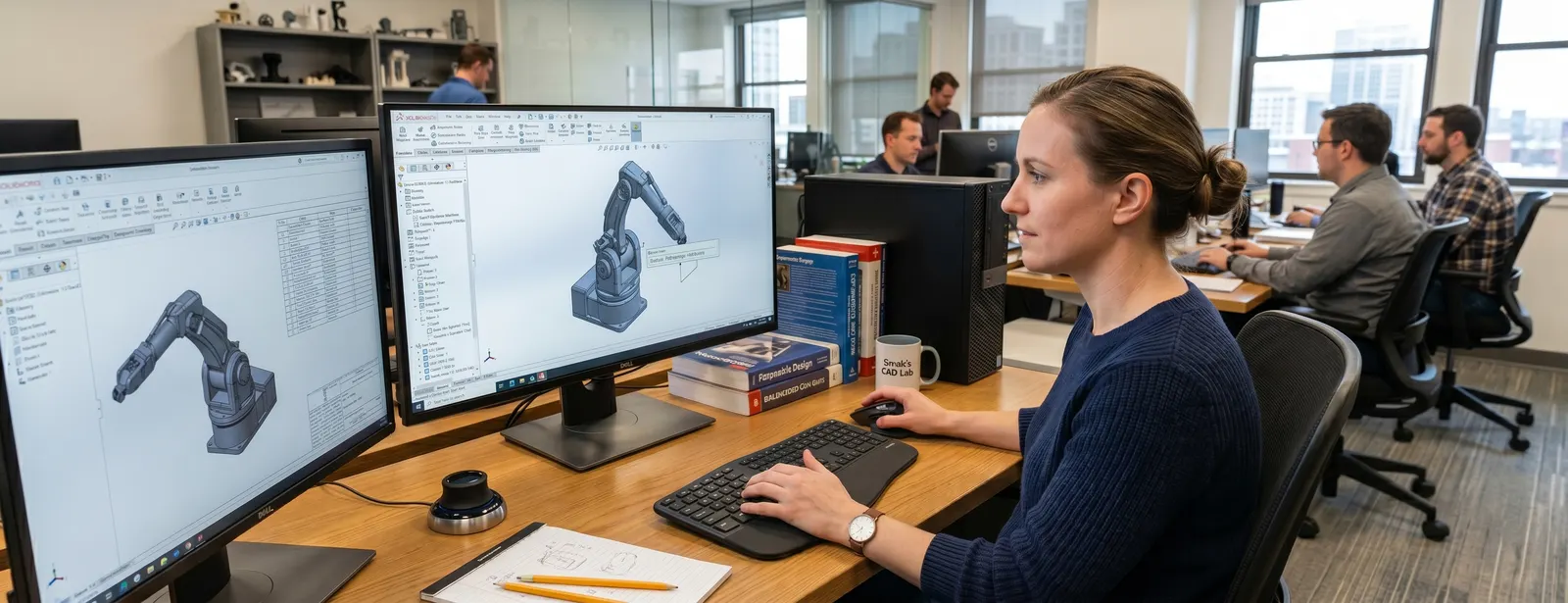
SOLIDWORKS 3D CAD
Analyse and validate design performance
Power Your Product Design with SolidWorks 3D CAD Software
SolidWorks 3D CAD is the world's most trusted design software for engineers and product designers — empowering professionals to create detailed 3D models, assemblies, and drawings at every stage, from concept to production. Whether you're exploring SolidWorks Standard plan, Professional plan, or Premium plan, Panshul Technologies — your SolidWorks authorized reseller in India — helps you find the right edition at the most competitive price. With flexible licenses, transparent cost options, and complete deployment support, Panshul Technologies makes it easy to design smarter with the SolidWorks CAD tools professionals worldwide rely on.
Why Choose Solidworks 3D CAD?
1. The Best Design Tools
SolidWorks 3D CAD helps you make precise models and drawings. It is easy to use, for people who are just starting out with SolidWorks 3D CAD.
2. Work Better With Your Team
You can work with your team using SolidWorks 3D CAD. It has tools for making 2D and 3D designs testing and managing data. SolidWorks 3D CAD helps you make designs that're accurate and it saves you time. This means you can make products and sell them faster with SolidWorks 3D CAD.
3. Get The Right SolidWorks 3D CAD License
You can buy types of SolidWorks 3D CAD licenses. There is SolidWorks Standard, Professional and Premium. Panshul Technologies can help you get the deal on SolidWorks 3D CAD. They have options for people who work alone new companies and big companies. You only pay for what you need with SolidWorks 3D CAD.
4. Get Help When You Need It
Panshul Technologies is a trusted seller of SolidWorks 3D CAD. They can teach you how to use SolidWorks 3D CAD install it and fix problems. If you need help with SolidWorks 3D CAD they can give you all the support you need for SolidWorks 3D CAD.
5. Good Value For Your Money
SolidWorks 3D CAD is not a tool for making designs. It helps you work better and makes your work easier with SolidWorks 3D CAD. It is an investment because it helps you make products faster and better with SolidWorks 3D CAD.
6. Use SolidWorks 3D CAD Anywhere
You can use SolidWorks 3D CAD on your computer. Access it online. This makes it easy to work with your team. Make designs from anywhere, with SolidWorks 3D CAD.
OVERVIEW DEMO
Take a First Look at SOLIDWORKS 3D CAD
What's New in SOLIDWORKS 3D CAD 2026

SOLIDWORKS 2026 is here
Every new release of SOLIDWORKS implements hundreds of enhancements that have been requested by the global community of designers and engineers. Check out our top ten favourite new enhancements in SOLIDWORKS 2026.
What's New in SOLIDWORKS 3D CAD
CAD−
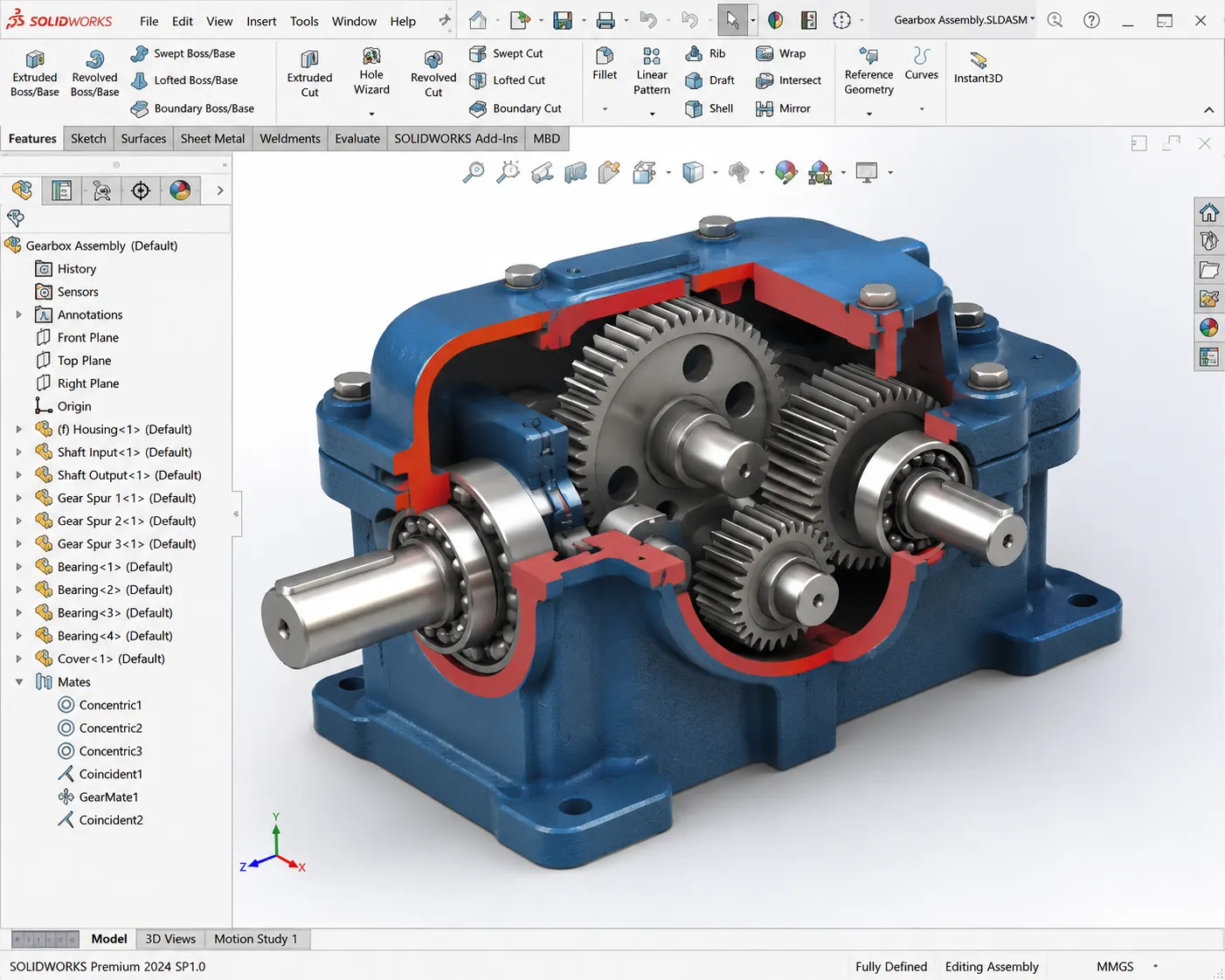
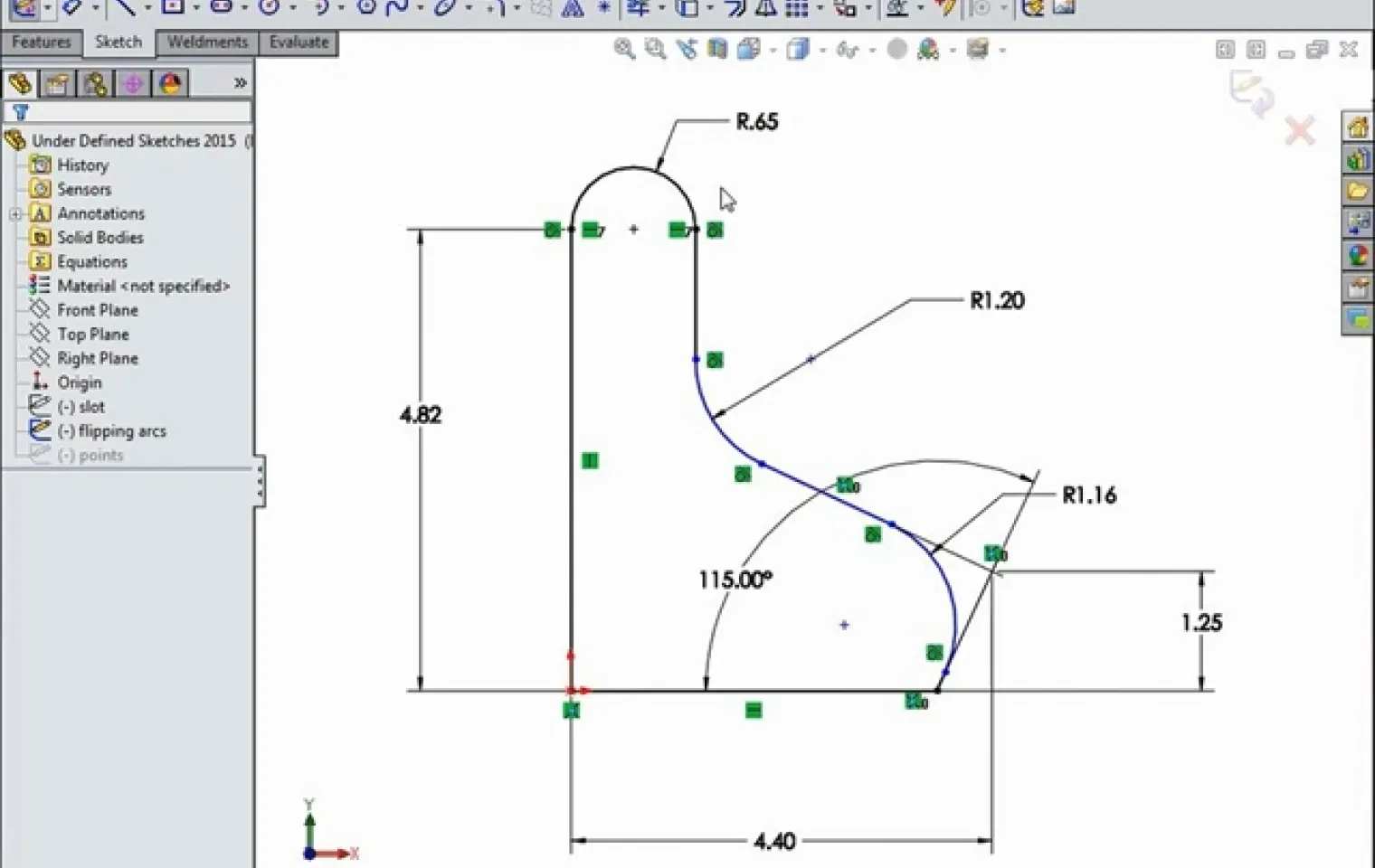
Sketching+
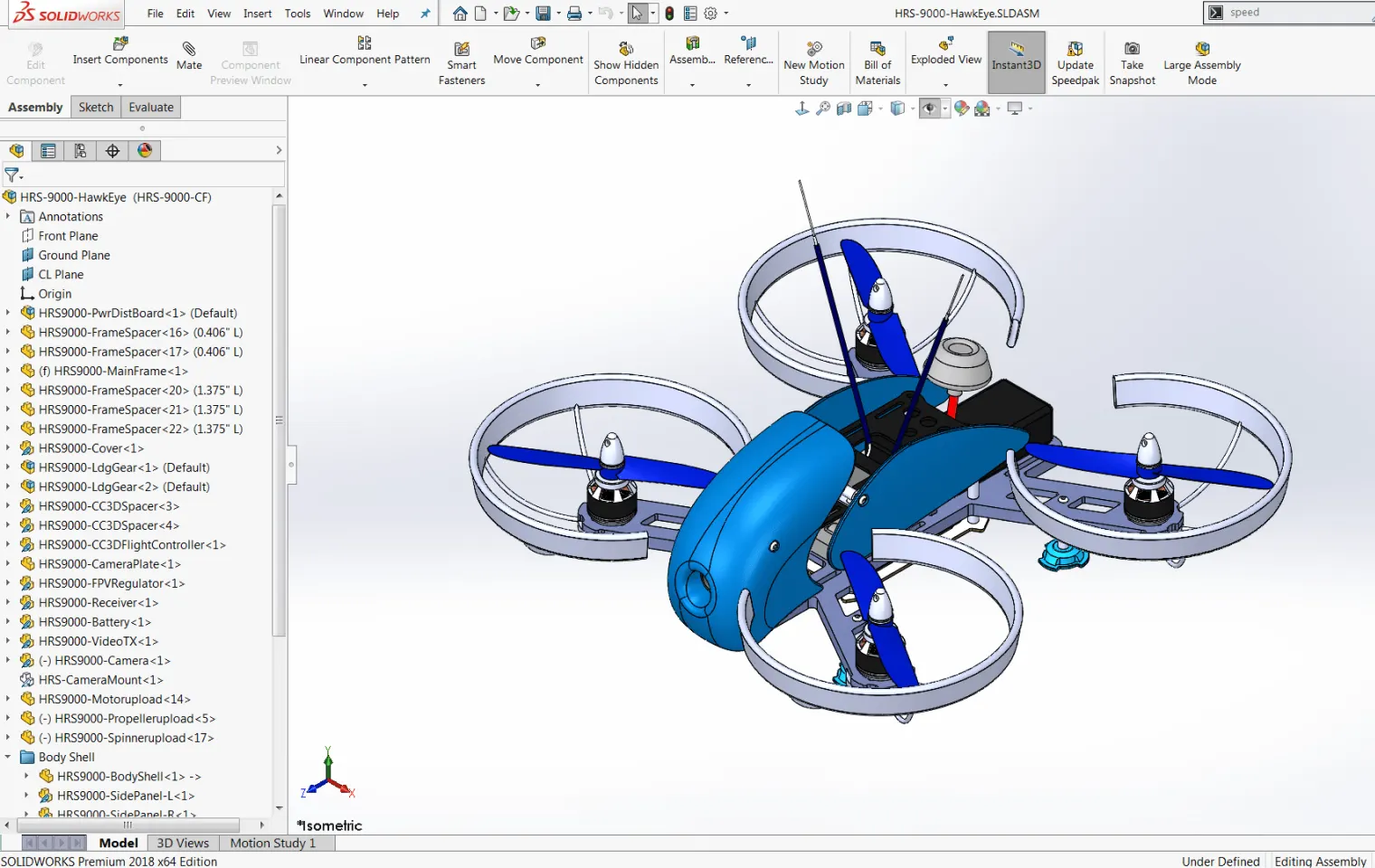
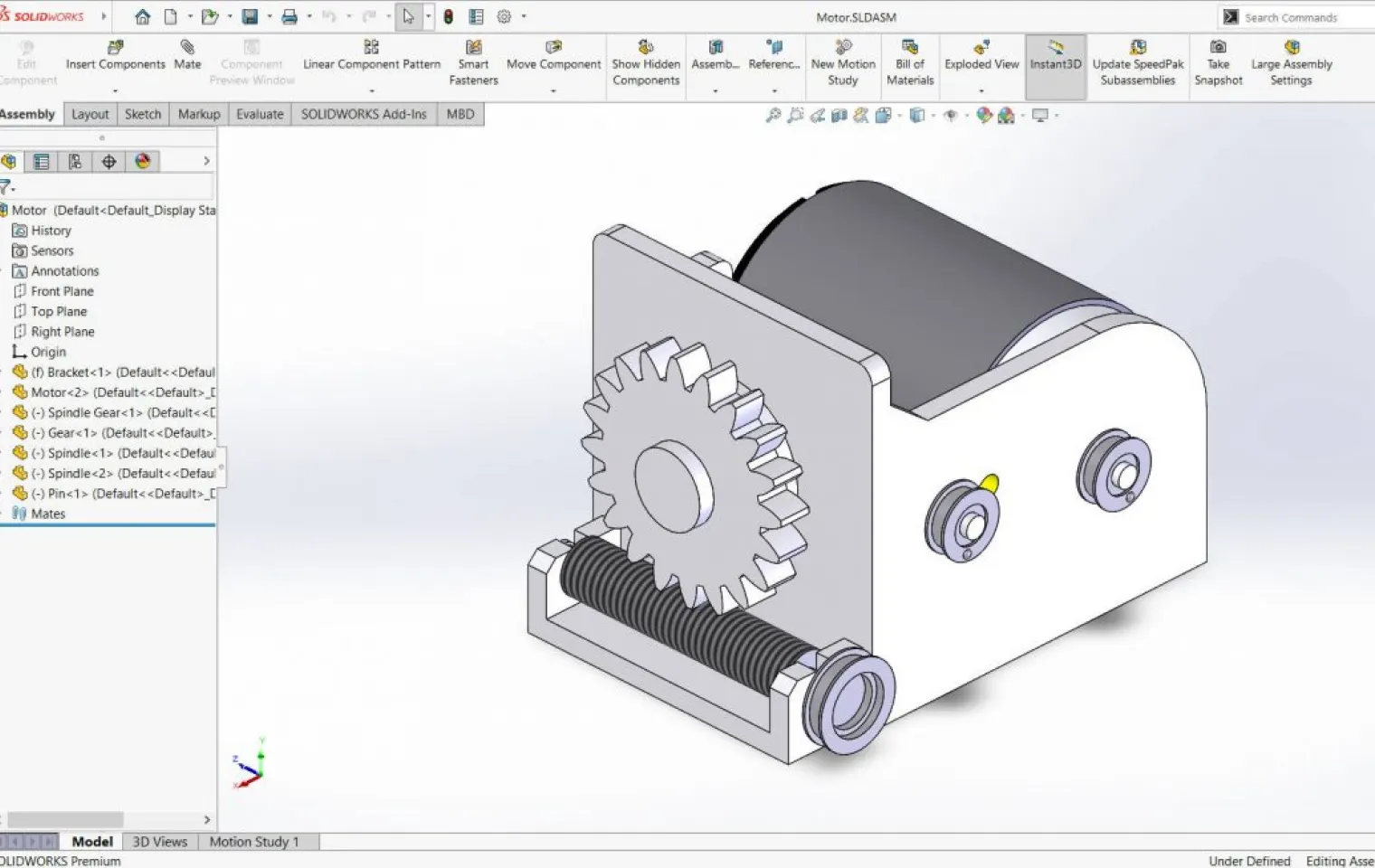
Assemblies+
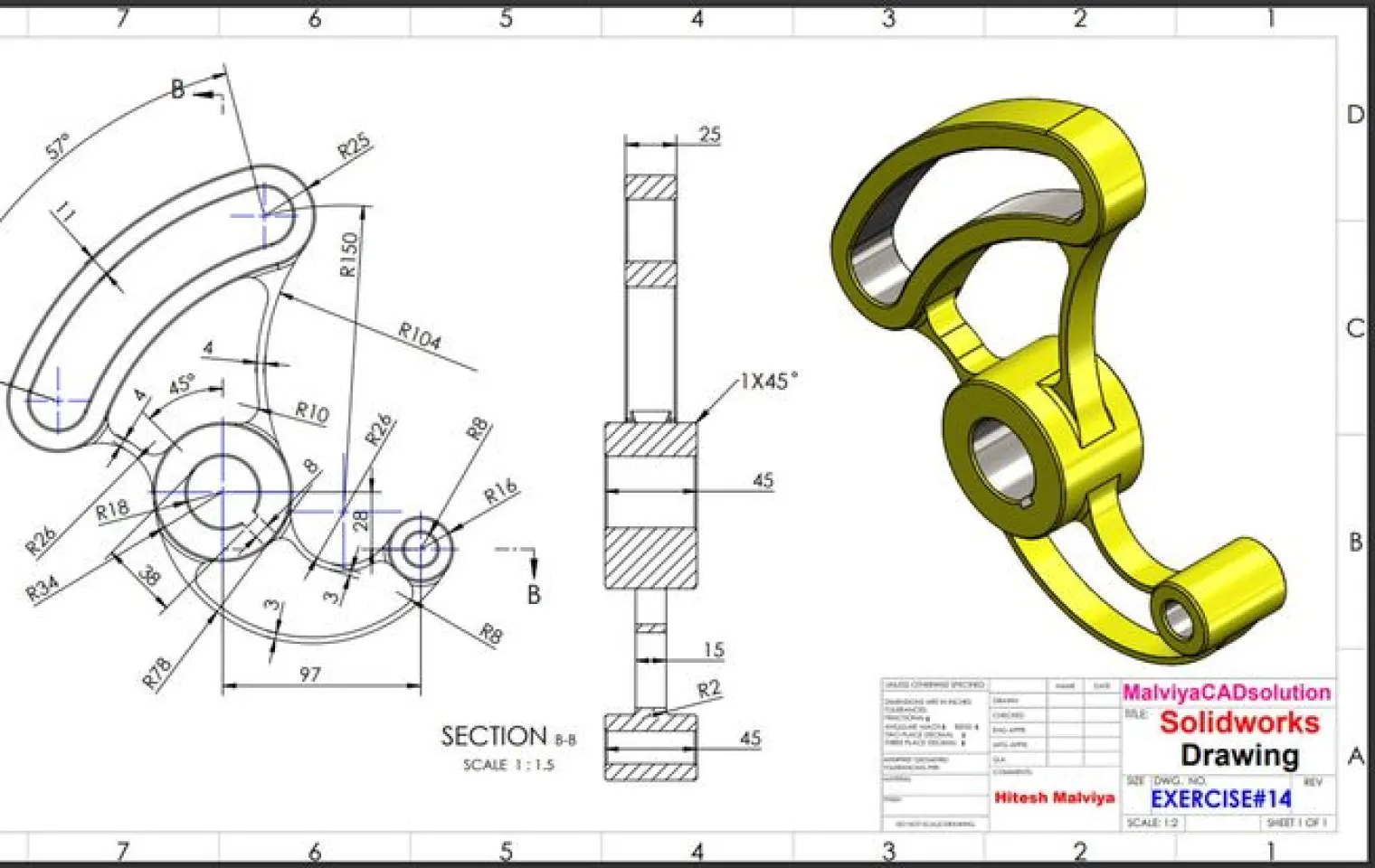
Drawings+
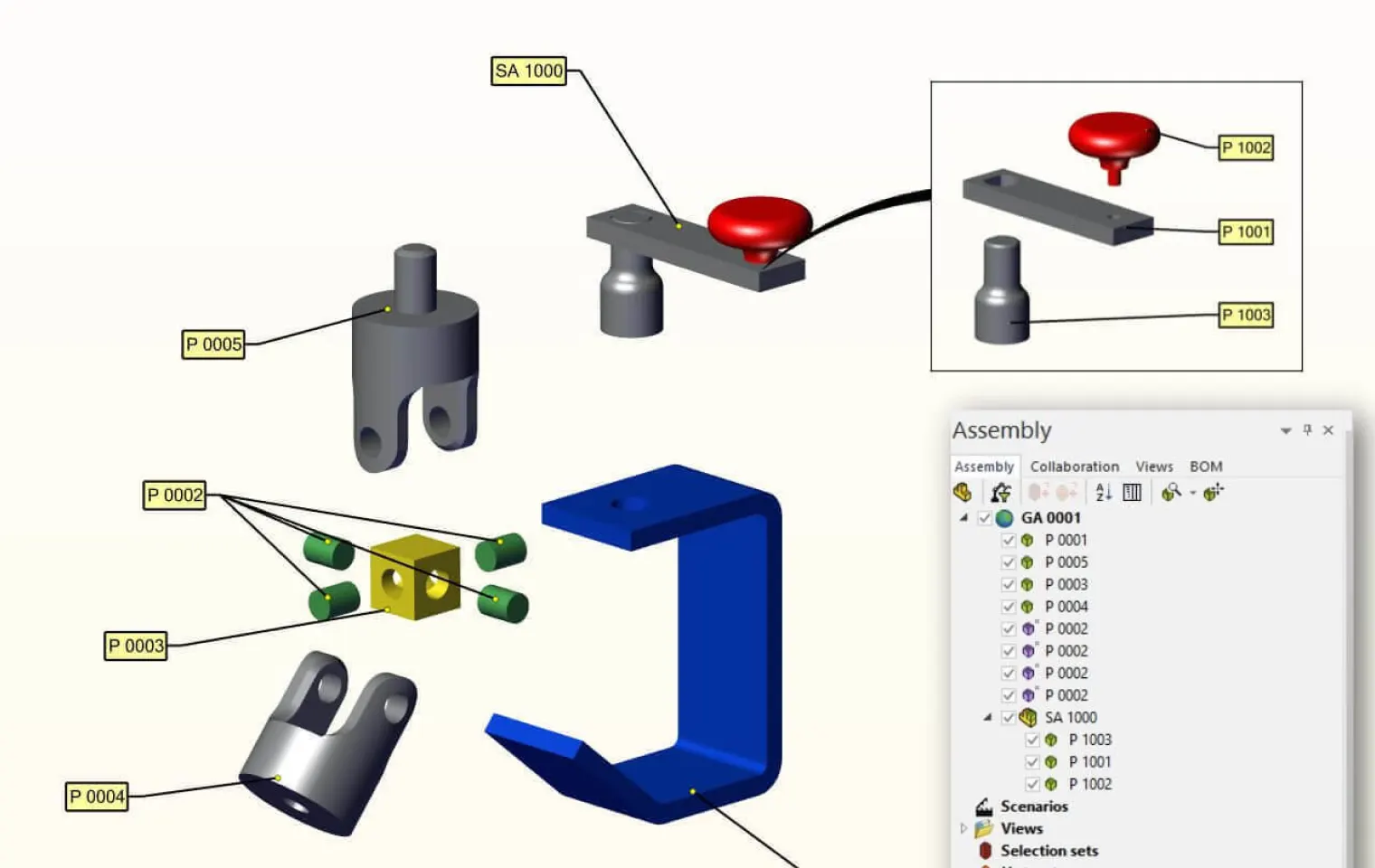
BOM+
Capabilities of SolidWorks 3D CAD
SolidWorks 3D CAD gives engineers and product designers everything they need — from first sketch to final production — in one powerful SolidWorks design platform.
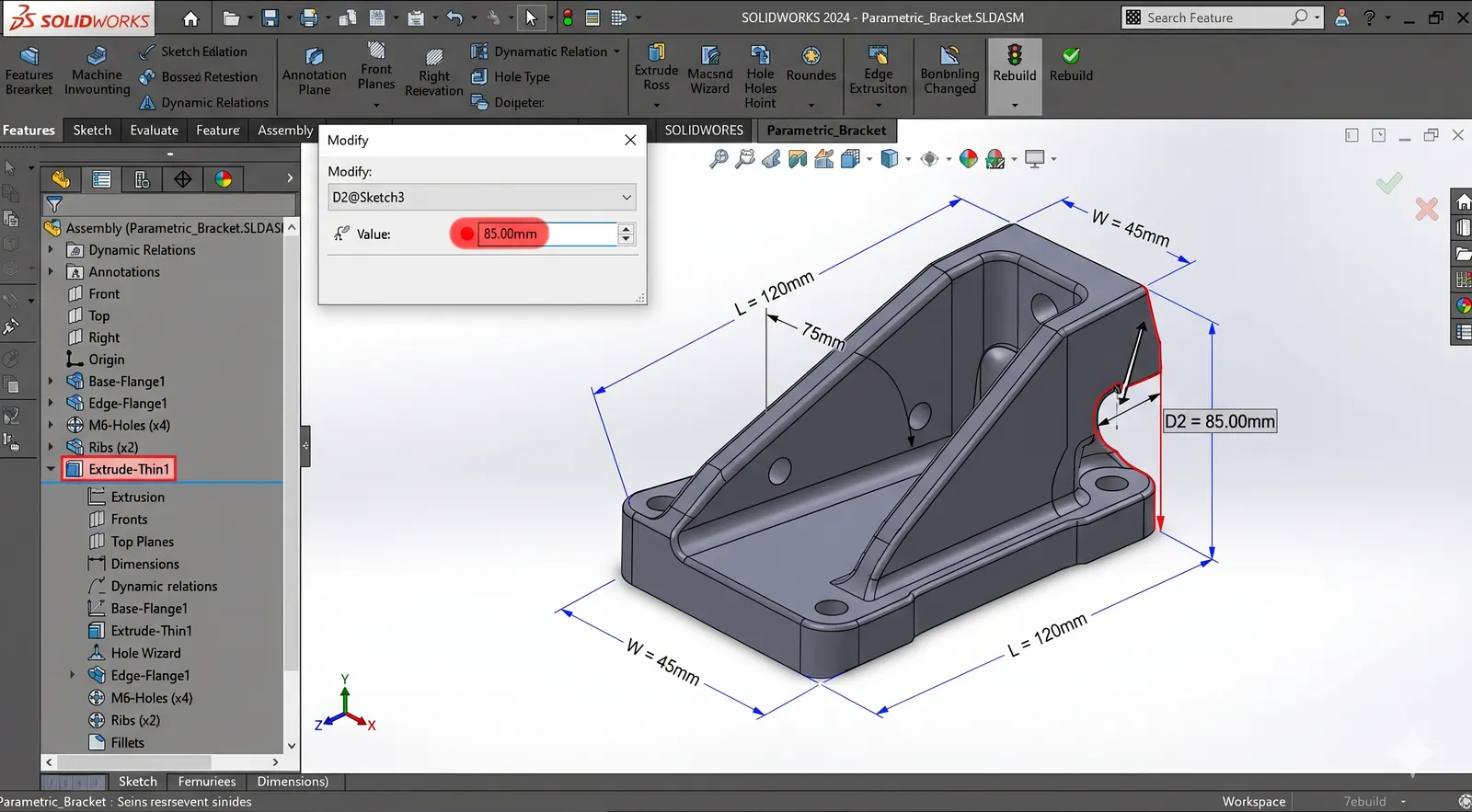
Parametric Modeling
Build smart parts and large assemblies that automatically update when your design changes.
- •Parameters drive all geometry updates
- •Sketch-based 3D feature creation
- •Non-destructive feature history editing
- •Reusable component libraries scale designs
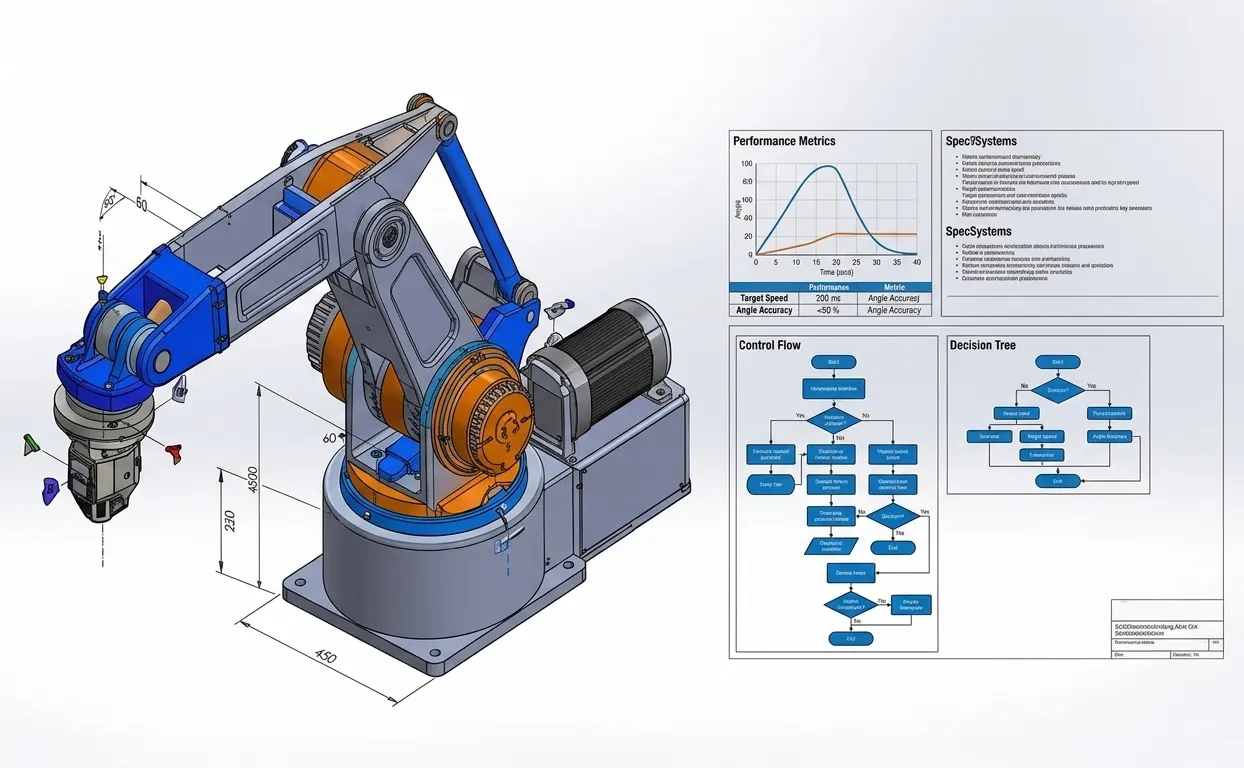
Automated Drawing Generation
Convert 3D models into precise, manufacturing-ready 2D drawings in minutes.
- •One-click view and section generation
- •Smart auto-populated dimensions and tolerances
- •Production-ready drawing instant creation
- •Synchronized updates across model drawings
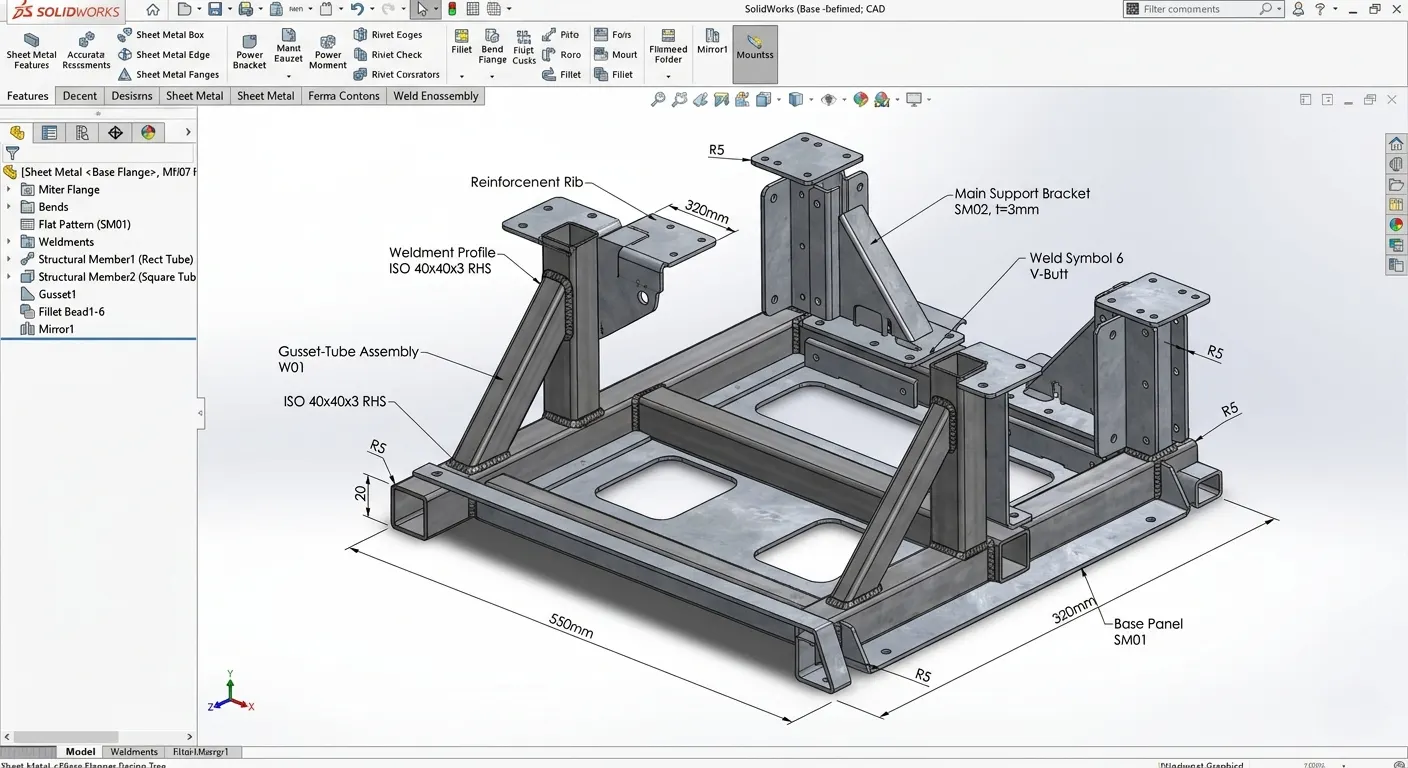
Sheet Metal & Weldments
Specialized tools for fabrication and structural design, production-ready from day one.
- •Automatic flat-pattern sheet unfolding
- •Weld bead profile specification
- •Bend allowance material calculation
- •CNC fabrication workflow optimization
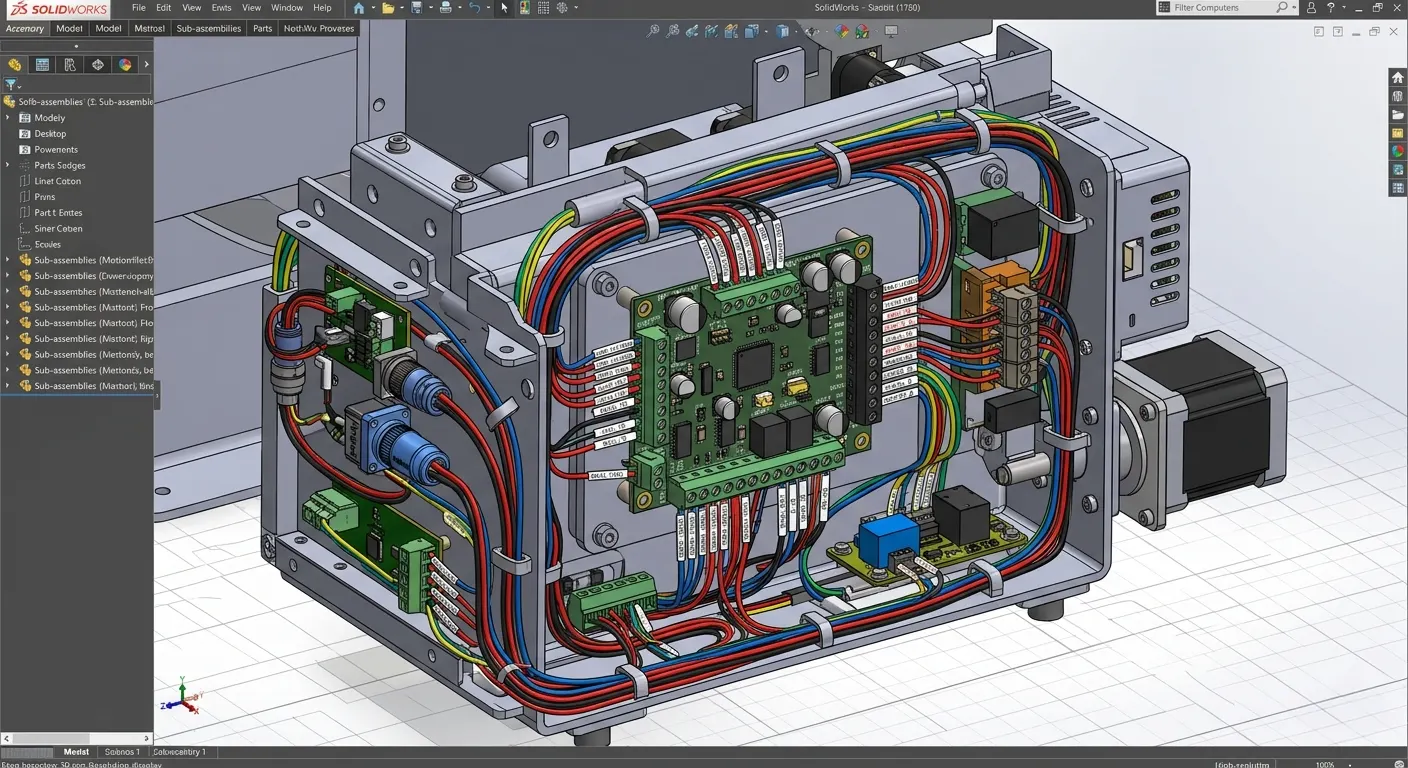
Electrical Integration
Bridge mechanical and ECAD design seamlessly with built-in CircuitWorks support.
- •Unified mechanical-electrical design workspace
- •CircuitWorks schematic import integration
- •3D connector and enclosure placement
- •Electrical-mechanical clash detection prevention
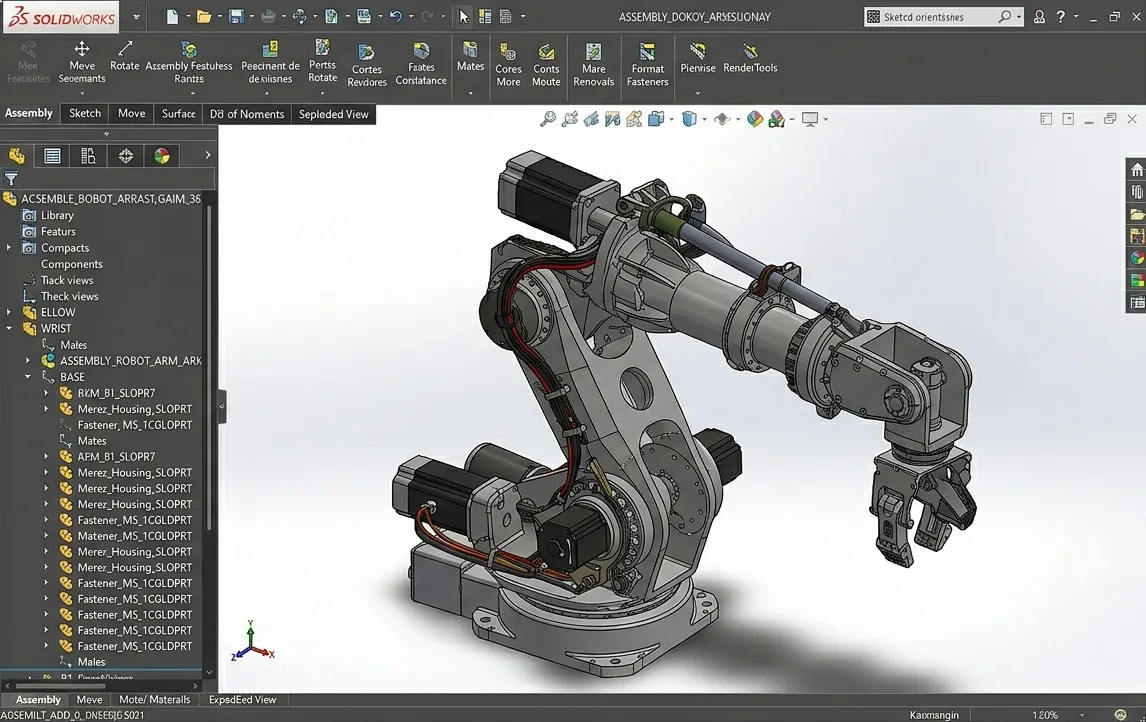
Assembly Management
Manage complex, multi-component assemblies with ease using intelligent mates, configurations, and real-time interference detection.
- •Intelligent mate relationship definition
- •Multiple design variant configurations
- •Real-time geometry overlap detection
- •Top-down assembly structure design
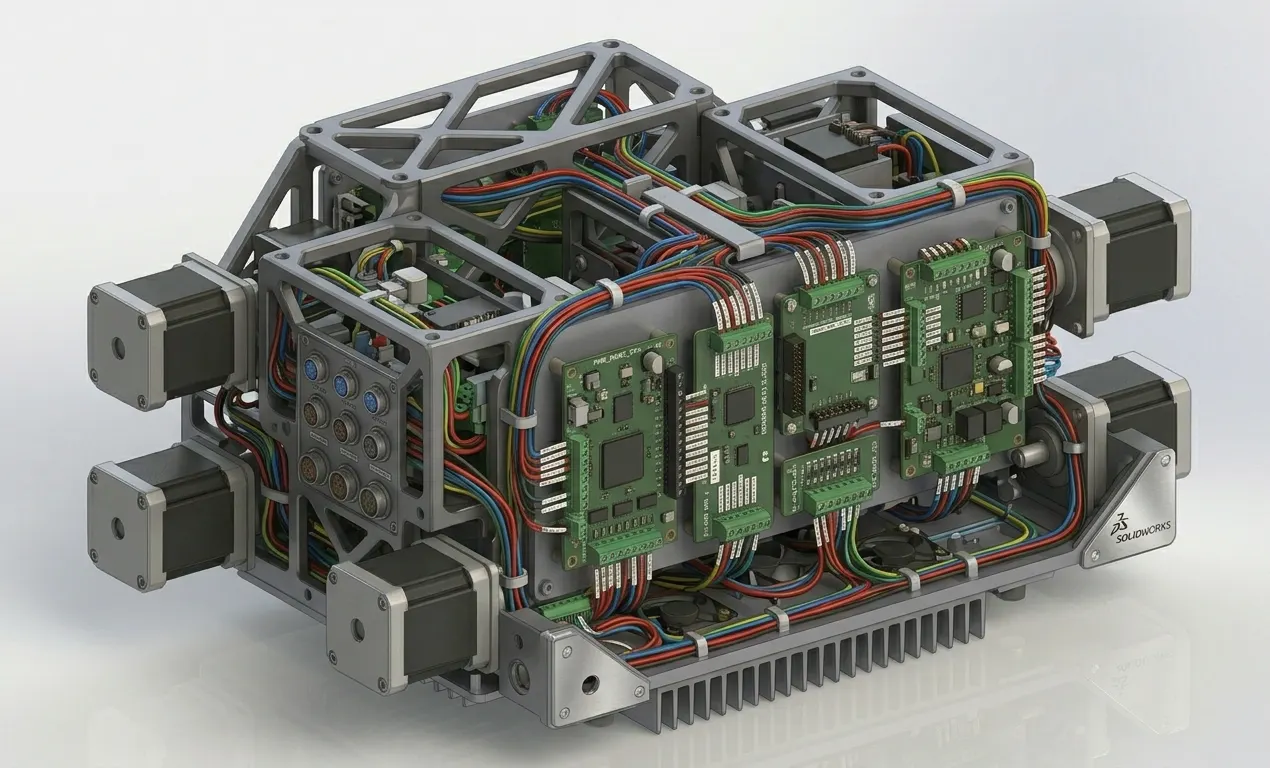
Routing
Automatically design and route piping, tubing, and electrical cables through assemblies with precision and speed.
- •Pre-built pipe and tubing libraries
- •Automatic obstacle pathfinding routing
- •Length and bend calculations
- •Multiple routing scenario exploration
With flexible SolidWorks licenses across Standard, Professional, and Premium editions, there's a plan for every team size and budget. Panshul Technologies, your authorized SolidWorks reseller in India, helps you pick the right edition at the best SolidWorks price — with full support from day one.
Available SOLIDWORKS Add-ins
An intuitive set of desktop 3D design tools matched with data management and simulation

Desktop-based SOLIDWORKS is an easy-to-use and strong 3D CAD solution. It includes part and assembly modeling, 2D drawings, and tools for productivity and automation.

All capabilities of Standard plus photo-realistic rendering, automated cost estimation, reverse engineering, automated design, drawing checking, and tolerance analysis.

All capabilities of SOLIDWORKS Professional plus piping, tubing, electrical and harness routing design, and advanced surface flattening capabilities.

Ultimate package delivering release management, product structure management, cloud-immersive experiences, structural analysis, and time-based motion analysis capabilities.

SOLIDWORKS PDM Standard helps individuals and small teams manage project data and control design revisions.
Create compelling visual content with photo-quality output early in the design process.
Quickly program individual parts and configurations inside SOLIDWORKS 3D CAD.
Create piping, tubing, and electrical cabling directly within your system design.

Compare SOLIDWORKS 3D CAD Desktop Versions
Standard, Professional, or Premium offering
Ease of Use
Part and Assembly Modeling
2D Drawings
Design Reuse and Automation
Animation and Visualization
Interference Check
Collaborate and Share CAD Data (3D Interconnect & eDrawings)
Advanced CAD File Import
Basic Analysis Tools (SimulationXpress & FloXpress)
Productivity Tools
SOLIDWORKS CAM Standard
SOLIDWORKS Visualize Standard
CAD Libraries
Automatic Task Scheduling and Batch Processing
ECAD/MCAD Collaboration (CircuitWorks™)
CAD Standards Checking
Automated Tolerance Stack-Up Analysis (TolAnalyst)
SOLIDWORKS File Management
Reverse Engineering (ScanTo3D)
eDrawings Professional
Motion Analysis
Structural Part and Assembly Analysis
Routing of Pipes and Tubes
Routing of Electrical Cabling and Wiring Harnesses
Buy SOLIDWORKS 3D CAD
Purchase a license of SOLIDWORKS Desktop with Cloud Services from the official DS Store
SOLIDWORKS Standard with Cloud Services
SOLIDWORKS Standard 3D design software delivers powerful functionality with an intuitive user interface to speed your design process and be productive.
Buy NowSOLIDWORKS Professional with Cloud Services
SOLIDWORKS Professional gives you all the power of SOLIDWORKS Standard with additional capabilities for productivity, communication and file management.
Buy NowSOLIDWORKS Premium with Cloud Services
SOLIDWORKS Premium includes powerful simulation, motion, and validation tools, wire and pipe routing functionality, and reverse engineering capabilities.
Buy NowFrequently Asked Questions
Contact Us
Are you interested in a design or manufacturing solution, service, or technical support? Complete the form to contact the sales team.
Reach us
Connect with us
Need SOLIDWORKS or 3DEXPERIENCE information or have a few questions for our team? Contact us today!


